Are you looking for a fun way to teach kids coding? Code Monkey might be just what you need. This cool program uses games to help children learn real programming languages. Gone are the days of boring learning through YouTube tutorials and books.
It’s not just for little kids either – even 8th graders can enjoy it!
Code Monkey teaches coding through over 400 fun challenges where kids guide a monkey to collect bananas. As they play, they learn to write simple code that makes the monkey move.
It’s like a puzzle game, but they’re actually learning JavaScript and Python!
You can use Code Monkey at home or in school. Teachers love it for classrooms; parents find it great for virtual learning. As a homeschool mom, my son thought it was a great way of learning to code.
It begins with easy block-based code for younger children and progresses to more advanced options for older ones.
If you’d like to give Code Monkey a try, please use my link here!
Table of Contents
Highlights
- Code Monkey makes learning to code fun with games and challenges.
- It teaches real programming languages like JavaScript and Python.
- You can use it at home or in school for kids of different ages.
Understanding Code Monkey
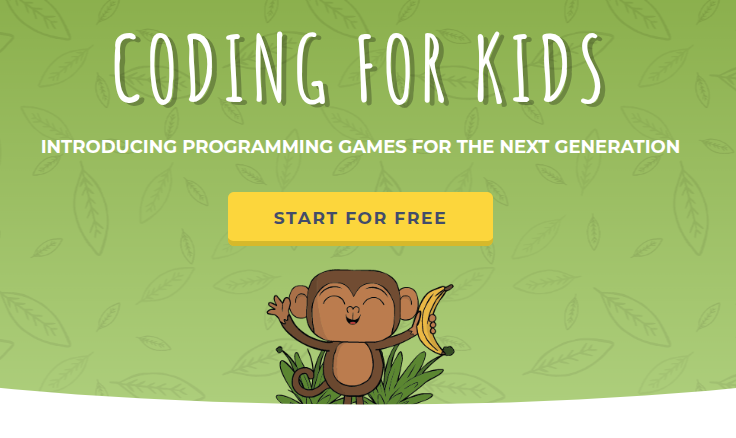
Code Monkey is a fun coding program for kids. It teaches real programming languages through games and projects. You’ll learn JavaScript, Python, and CoffeeScript as you guide a monkey to collect bananas.
What Is Code Monkey?
Code Monkey is an award-winning coding platform for kids. It’s great for preschoolers up to 8th graders. You can use it at school or at home if you want your kids to get a leg up, or make it part of your homeschooling routine.
Kids don’t need prior experience or coding experience to start. Younger students can begin with block-based coding, while older ones transition into text-based languages, gaining confidence step by step.
The program has nearly 400 challenges. In each one, you’ll write code to help the monkey get bananas. If you do it right, you’ll earn 3 stars.
The best part is that Code Monkey makes learning to code feel like a game. It’s visual, so even if you can’t read yet, you can still use it.
The Programming Languages of Code Monkey
Code Monkey teaches you real programming languages. You’ll start with CoffeeScript, which is like a simpler version of JavaScript.
As you progress, you’ll move on to Python. This is a popular language used by pros. You’ll also learn some JavaScript along the way.
The program uses simple commands at first. As you get better, the challenges get harder. You’ll learn to write more complex code. My son has done some coding from books and watching YouTube, but he still enjoyed the foundation that they laid out.
By the end, you’ll have a solid foundation in coding. These skills can help you in school and maybe even in a future career!
Educational Content and Courses
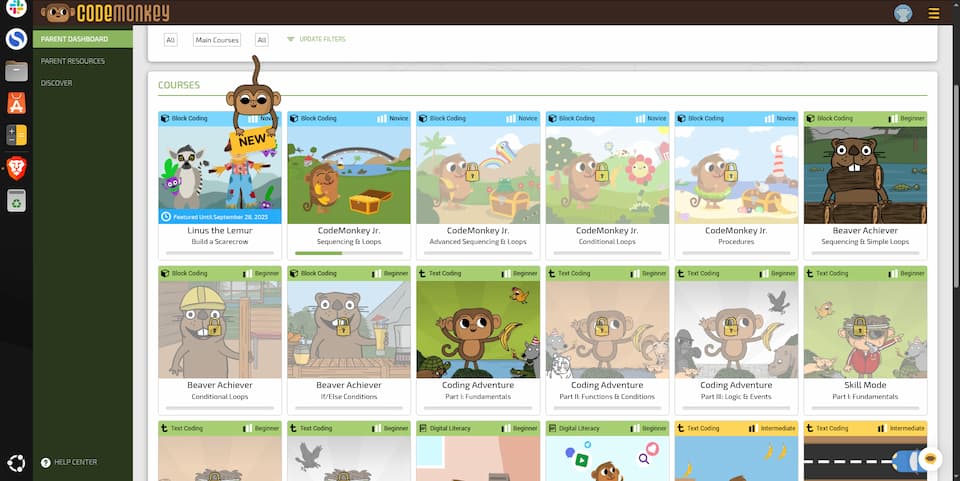
CodeMonkey offers a variety of coding courses for kids. You’ll find engaging lessons that teach real programming languages through fun games and projects. The platform caters to different age groups.
Lesson Plans and Curriculum
CodeMonkey provides a structured coding curriculum for students from preschool to 8th grade. That’s great for younger learners and older students. You’ll get access to well-organized lesson plans that make teaching coding easy and fun. The courses cover important programming concepts step-by-step.
Teachers can use these materials in school, while parents can guide their kids at home. You’ll find resources for both group classes and self-paced learning.
CodeMonkey doesn’t just teach programming—it introduces computer science concepts in a fun way. Younger students can see how coding connects to the real world, from building games to understanding how websites use cookies to run.
The curriculum is designed to build skills gradually, ensuring that students grasp each concept before moving on.
CodeMonkey’s courses teach real programming languages like Python. This gives kids a solid foundation they can build on as they grow.
Coding Adventure and Game Builder
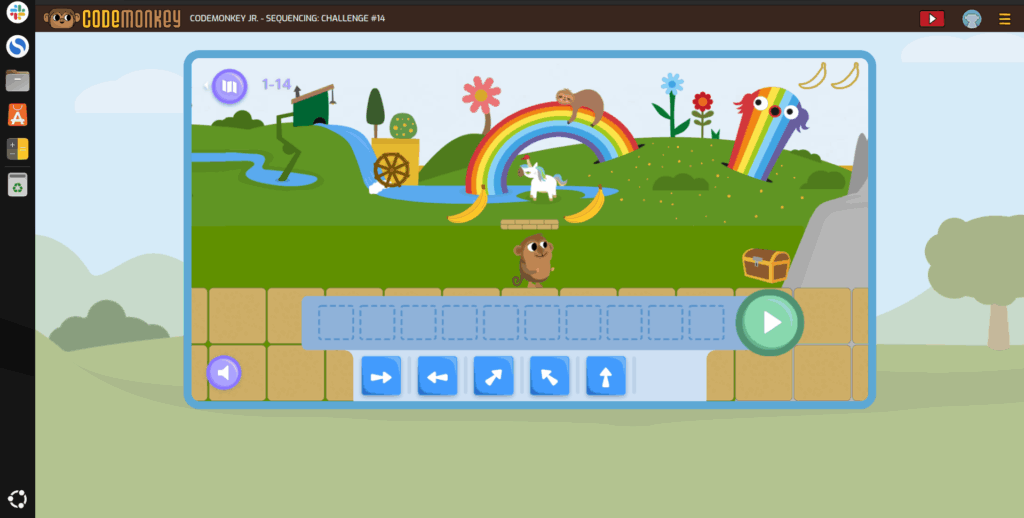
The Coding Adventure course is CodeMonkey’s main attraction. You’ll guide a monkey to collect bananas by writing code. It’s a fun way to learn programming basics to get your feet wet.
The course has nearly 400 challenges. Each level gets harder, teaching you new coding concepts. You’ll earn stars for completing challenges correctly.
CodeMonkey also offers a Game Builder. This tool lets you create your own games using the skills you’ve learned. It’s a great way to practice coding and unleash your creativity.
Coding for Younger Minds: CodeMonkey Jr.
CodeMonkey Jr. is perfect for introducing coding to very young children. It uses a visual block-based coding approach that’s easy for little ones to understand. I’ve gone over this in my article about, How to Teach Kids to Code.
Kids learn basic programming logic through simple puzzles. The course is designed to be engaging and age-appropriate, so no matter the age of the child, they won’t get bored.
You’ll see your child develop problem-solving skills and computational thinking at their own pace.
CodeMonkey Jr. acts as a stepping stone to more advanced courses. It builds a strong foundation for future coding education.
Programming Concepts Covered

CodeMonkey teaches kids important coding ideas through fun games. You’ll learn key building blocks that real programmers use every day.
From Loops to Functions
Loops are a big part of coding in CodeMonkey and just coding in general. You’ll use them to make actions happen over and over.
It’s like telling a robot to pick up toys – you don’t want to write “pick up toy” 100 times!
Functions are another cool tool. They’re like recipes for your code. You write the steps once, then use them again and again. This makes your code shorter and easier to read.
You’ll also learn about function calls. These are how you use the functions you’ve made. It’s like following a recipe you wrote earlier.
Understanding Objects and Arrays
You can think of objects in coding as containers that hold different things. They can have numbers, words, or even other objects inside them.
You’ll use objects to make your code more organized.
Arrays are special objects that hold lists of things. Think of them like a line of kids waiting for lunch. You can add to, take away from, or change the order of the line.
Kids will learn how to work with both objects and arrays in CodeMonkey. This will help them make more complex and interesting programs.
Variables and Conditions With Code Monkey
Variables are like boxes where you store information in your code. You can put numbers, words, or other data in them. Then you can use or change that info later when you need to.
Boolean conditions are like yes/no questions in your code. They help your program make choices.
For example, “Is the player’s score over 100?” If yes, do one thing. If no, do something else. It’s really that simple!
You’ll also learn about if-else conditions. These let your code make decisions based on different situations.
Teaching and Learning Approach
Code Monkey uses games and puzzles, along with a fun factor, to teach kids coding.
Along with these games, kids will be happy to see their progress tracked, allowing them to see how far they have come.
Gamification of Coding
Code Monkey makes learning to code fun. You solve coding puzzles that get harder as you go. Each puzzle is like a little game.
It’s not just play – you’re learning real programming skills. The games help you think like a coder. You’ll get better at breaking big problems into small steps.
As you finish puzzles, you earn points and unlock new levels. This keeps you excited to learn more. The games make coding less scary and more fun for everyone.
Tracking Student Progress
Code Monkey helps you see how you’re doing. You can check your achievements to see what skills you’ve learned.
There’s a special “skill mode” that shows what coding concepts you know.
Parents can see your progress too. They get reports on what you’ve done and what you still need to work on. This helps them give you the right support while getting a top-down perspective.
The program grades your work automatically. You don’t have to wait for someone to check it. You can move on to the next lesson right away when you’re ready so their is no slowing down.
Support and Resources
When you get stuck, Code Monkey has ways to help. There’s online support if you have questions. You can also look at hints for each puzzle.
Teachers get extra help. They can find lesson plans and teaching guides. These make it easier to use Code Monkey in class.
If something’s not working right, you can contact tech support. They’ll help fix any problems with the program.
Code Monkey is not done with the platform. They are constantly improving and making it better for students and parents to check their progress.
Since CodeMonkey is an online platform, it uses general purpose platform session cookies to support the working of basic functionalities of the website. Unlike third-party cookies used for ads, these serve only the purpose of the cookie—keeping students logged in and tracking progress—and families can always opt-out of these cookies through their users’ browser settings.
The Code Monkey Community
CodeMonkey offers helpful resources for parents and teachers. You’ll find reviews from other users and plans tailored for different needs.
Reviews and Feedback
CodeMonkey reviews show that many users enjoy the platform. Teachers praise the fun coding games and challenges. Kids love earning stars as they solve problems.
Some teachers mention using CodeMonkey for Hour of Code events. What a great idea!
Plans for Parents and Homeschooling
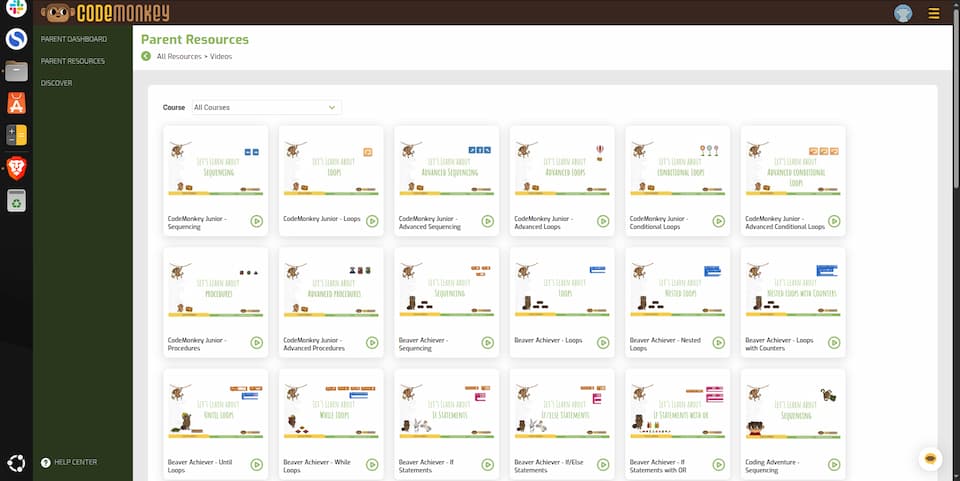
CodeMonkey offers special plans for homeschoolers.
These give you access to all courses and a parent dashboard. You can track your child’s progress and see which coding skills they’re mastering.
The homeschool plan includes fun coding games and challenges. These help kids learn algorithms and problem-solving. You’ll also get lesson plans to guide your teaching.
For extra help, you can use the coding chatbots. These answer questions about tricky concepts. The parent plan also gives you access to all video tutorials.
Frequently Asked Questions About Code Monkey
Is CodeMonkey a good starting point for kids interested in coding?
CodeMonkey is great for beginners. It teaches real coding languages through games and challenges.
Kids learn by guiding a monkey to collect bananas using simple code. This makes learning fun and easy.
What are the subscription costs associated with CodeMonkey?
CodeMonkey offers different subscription plans for home use and schools. Prices vary based on the plan you choose. You can pick from monthly or yearly options. Check their website for the most up-to-date pricing.
Can you get certificates from completing CodeMonkey courses?
CodeMonkey may offer certificates for finishing courses. This can be a nice reward for kids. It shows what they’ve learned. Check with CodeMonkey directly to see what certificates are available.
At what age can children start using CodeMonkey?
Kids can start CodeMonkey as young as preschool age. The program has courses for kids up to 8th grade. It’s good to start coding early, but kids of any age can learn.
Are there any free trial versions available for CodeMonkey?
CodeMonkey might offer a free trial. This lets you try before you buy. It’s a good way to see if your kids like it. Check their website to see if they have a current free trial offer.
What is the distinction between CodeMonkey and CodeMonkey Jr?
CodeMonkey Jr is likely a version for younger kids. It might have simpler games and tasks.
The regular CodeMonkey could be for older kids with more complex coding. Ask CodeMonkey about the exact differences between these versions.